The Best Ergonomic Mechanical Keyboard for Long Coding Sessions (2026)
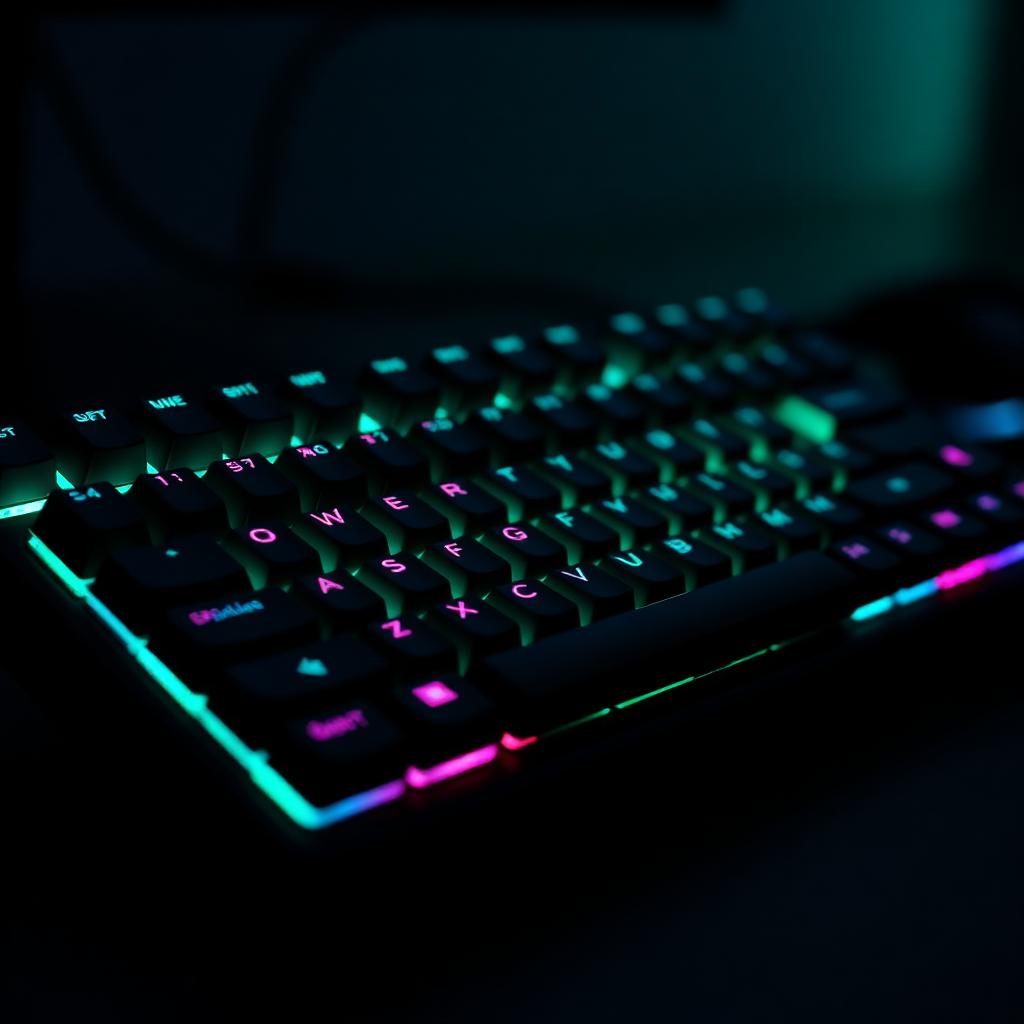
TL;DR: The best ergonomic mechanical keyboard for long coding sessions is a split board with hot-swappable low-force switches and QMK/ZMK firmware. For most developers, that means the ZSA Moonlander, Kinesis Advantage360, or Keychron Q11 depending on how far you want to go down the customization path. If you want mechanical feel without a learning curve, the Keychron K11 Pro is the honest, non-split middle ground.
Why ergonomic and mechanical is not a contradiction
Traditional mechanical keyboards are optimized for typing feel: satisfying key travel, tactile feedback, replaceable parts. Traditional ergonomic keyboards are optimized for wrist geometry: split halves, tenting, tented palm rests.
For most of the 2010s these were separate categories. In the last five years — thanks to open-source firmware (QMK, ZMK), hot-swap sockets, and mainstream mechanical demand — you can get both. The market is small but no longer niche.
What to look for in an ergonomic mechanical keyboard
1. Split design. A true two-piece split is a substantial ergonomic improvement over a curved unibody. If your primary reason for going ergonomic is wrist geometry, don't compromise.
2. Adjustable tenting. 10–20° is the sweet spot for most people. Some boards offer built-in adjustable tenting; others rely on separate tenting kits.
3. Hot-swappable switches. Ergonomics is deeply personal. A keyboard that lets you swap between light linear, tactile 45g, and heavier tactile switches without soldering is worth the small price premium.
4. QMK or ZMK firmware. Programmable layers let you move common keys (Backspace, Enter, arrow keys, brackets) off your pinky and onto thumb-cluster keys. This is a bigger ergonomic win than any switch choice.
5. Low profile or medium profile — your call. Low-profile switches (Choc, low-profile MX) reduce finger travel and are easier on tendons. Medium-profile switches feel more like a traditional mechanical. Neither is objectively better.
6. Wireless is now table stakes. Modern ZMK boards get 4–8 weeks per charge and don't compromise latency for anything short of competitive gaming.
Our shortlist
ZSA Moonlander (editor's pick) — split, 30° tenting, hot-swappable Cherry MX switches, Oryx browser-based key mapping. The most approachable path into a fully programmable ergonomic mechanical board. Excellent build quality, comprehensive documentation, active community.
Kinesis Advantage360 — deeply sculpted concave key wells, split, tented, thumb clusters. The gold standard if you've decided keyboard ergonomics is a permanent investment. Steepest learning curve on this list, and worth it for keyboard-heavy roles.
Keychron Q11 — split with center-mount option, hot-swap, QMK, wired only. Excellent build quality at roughly half the Moonlander's price. No adjustable tenting out of the box (aftermarket kits exist), but the geometry is otherwise very good.
Glove80 — split with low-profile Choc switches, wireless, ZMK firmware, tented well design. Ideal for smaller hands or users who find MX switches fatigue their fingers over long sessions.
Keychron K11 Pro (best non-split option) — 75% low-profile mechanical, hot-swap, wireless, QMK. Not a true split, but the low-profile switches and light actuation force make it a solid mechanical for people who aren't ready to relearn typing on a split.
Which switches actually work for long coding sessions?
Light linear (Kailh Choc Red, MX Red, Gateron Yellow) — smooth, low actuation force. Good for fast typists who don't want tactile feedback slowing them down. Some users find them fatiguing because there's no bump to signal actuation, leading to bottoming out.
Light tactile (Kailh Choc Brown, MX Brown, Boba U4T, Zealios V2 62g) — the default recommendation for most developers. Tactile bump prevents bottom-out, actuation force is low enough for long sessions. If you're unsure, start here.
Silent tactile (MX Silent Brown, Aqua King, Boba LT) — for shared spaces or frequent-call workflows. Slightly muted feel, meaningfully quieter, no ergonomic downside.
Avoid: heavy tactile (65g+), heavy linear (any Blackpath variant), clickies (MX Blue and derivatives). Fine for gaming or short bursts, hard on tendons over eight hours.
Newsletter
One useful workout or gear pick per week.
Written for people who live at a desk. No spam, unsubscribe anytime.
The layout changes that matter more than the keyboard
Move Backspace and Enter to your thumbs. Your pinkies are the weakest fingers doing the most work on a standard layout. Getting Backspace off the pinky is the single largest ergonomic win most developers can make.
Add a symbol layer under your left thumb. Brackets, braces, parens, and equals become one-hand-away instead of two-hand stretches. Especially useful for TypeScript, Rust, and any language heavy on symbols.
Consider swapping Caps Lock for Ctrl (or Escape). This isn't ergonomic-mechanical specific — it works on any keyboard — and reduces the pinky reach for the most-used modifier.
Use home-row modifiers cautiously. They're powerful but demand extreme timing discipline; if your typing is bursty or interrupted, they backfire.
Wired vs. wireless: does it matter for coding?
For most coding workflows, no. Modern ZMK wireless (Bluetooth Low Energy) adds imperceptible latency and eliminates two cables from your desk.
Wired still wins in three narrow cases: competitive gaming, environments with heavy 2.4 GHz interference (packed offices, coworking spaces), and users who never carry the board off the desk and don't want to think about charging.
For a home-office coder, wireless with USB-C fallback is the right default.
Frequently asked questions
How long does it take to adapt to a split ergonomic mechanical keyboard? For most typists, 1–2 weeks to return to normal typing speed on a plain-key layout, another 2–4 weeks to master remapped layers. Six weeks total is a good planning horizon.
Are ergonomic mechanical keyboards worth the price? If you type 4+ hours a day for a living, yes — the pain-avoidance value alone typically covers the price within a year. Below that threshold, a well-configured non-split like the Keychron K11 Pro is probably enough.
Which is more important: split, tented, or programmable? Split first, programmable second, tented third. A flat split with good remapping helps more than a curved unibody that can't be reprogrammed.
Are ortholinear layouts better ergonomically than staggered? Slightly, in theory — the fingers travel in straight columns instead of angled rows. In practice, the productivity dip during retraining is often larger than the ergonomic gain unless you touch-type carefully.
Can I use my ergonomic mechanical keyboard for gaming? Split boards are excellent for MMOs and strategy games (both hands independent, layered controls). Less ideal for competitive FPS, where a normal WASD layout and low actuation are optimized for.
The Active Nerds Team
Engineers and lifters writing practical fitness content for people who spend their day at a keyboard.